01 · Problem
Spotting the emergency is fast. Telling everyone isn't.
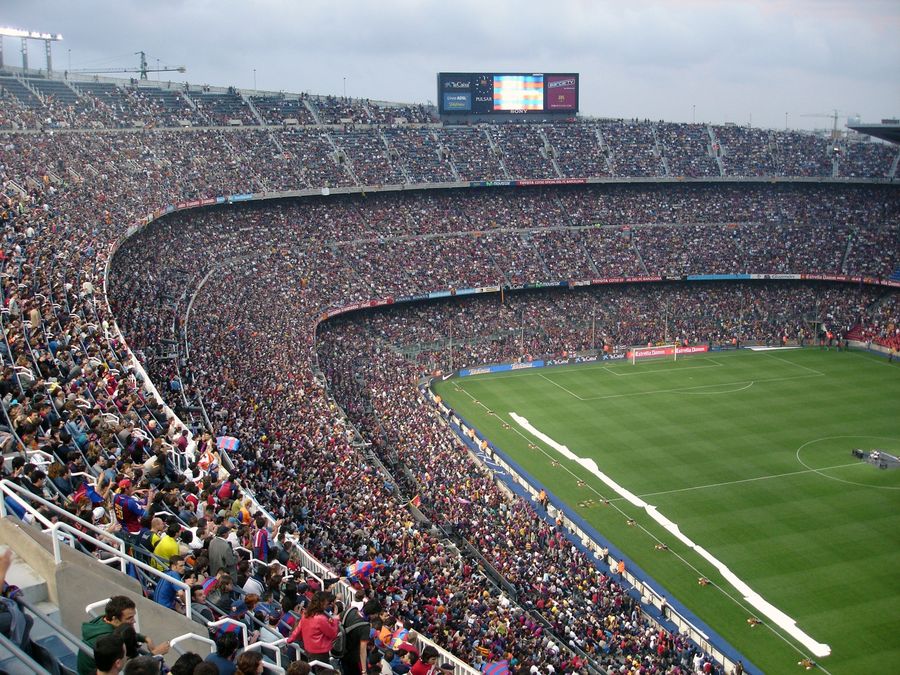
A sold-out venue holds ~68,000 guests and roughly 300 staff — ops, contracted security, medics, ushers, concessions. When a fire warning or bomb threat hits, cameras and radios surface it in seconds. But turning that into one clear instruction reaching every person means juggling the PA desk, radio channels, a group email and ad-hoc texts — each with different wording, written under adrenaline. And once the message is out, command is blind: there's no way to know who received it, who's moving, or who needs help.
friction 01
Broadcast is slow and fragmented
Email lives in one tool, SMS in another, push in a third — if it exists at all. Someone composes instructions from scratch mid-crisis, and every channel ends up saying something slightly different. Minutes pass before the last staff member hears anything.
friction 02
Nobody knows who's safe
After the alert goes out, the feedback loop is a radio roll-call and a paper headcount. A steward trapped in a smoke-filled corridor looks exactly like one who simply didn't answer. Command makes evacuation calls without the one number that matters.
02 · Research
What shaped the design.
I studied NCS4 venue-safety guidance and public emergency-communication patterns (wireless emergency alerts, campus alert systems), then mapped the full alert-to-all-clear flow — from the moment command decides to act, to the last safety check-in. Four findings kept repeating, and each one became a design decision you can see in the prototype below.
Pre-built alert types, ready to send
Fire, bomb threat, medical, earthquake, active shooter, evacuation — each with prewritten, plain-language instructions. Under adrenaline you pick and send; you never write copy. Title, message and severity are filled in before the emergency happens.
Email, push and SMS in one send
People miss channels, not messages. One broadcast fans out to every enabled channel with identical wording, so a steward in a loud concourse gets the SMS even when the push notification drowns.
Every alert asks: are you safe?
Recipients answer Safe or Need help with one tap. Check-ins stream onto a live board — 153 of 300 in, 31 need help — replacing the radio roll-call with a number command can act on.
Live, Test and Drill are unmistakable
Venues rehearse constantly, and a drill mistaken for a real alert is its own emergency. Mode is a first-class, color-coded choice — Live is red and looks it — so no one ever wonders which world they're in.

03 · Design system
One language, two surfaces.
The console and the responder app run on one shared token set, so "critical" is the same red in the ops room as it is in a steward's hand. Severity is never carried by colour alone — every level pairs a colour with an icon and plain-language copy, so it survives a sunlit concourse, a cheap screen, and colour-blind eyes.
Semantic colour
Each token ships a paired -soft tint for backgrounds and a -line value for borders, so a severity reads at any weight without new colours.
Typography
DM Sans for the console's data-dense chrome, Inter for the app — both chosen for legible numerals under pressure.
Alert types — one icon per emergency, prewritten copy behind each
Selecting a type fills the title, body copy and severity — under adrenaline you pick, you never write.
Components
Live is the only red mode — a drill can never be mistaken for the real thing.
Safety check-in bar
The one component command actually watches — proportional, glanceable, and readable from across the room.
04 · Prototype
Two surfaces, one shared incident.
These aren't pictures of a prototype — they're the actual working prototypes, rendered live on this page. The command console runs the ops room: broadcast an alert, watch safety check-ins stream back, track tasks and recipients. The responder app puts the same incident in a field worker's hand. Launch either one in a new tab and click around.
Desktop · command console
Launch desktop prototype ↗Mobile · responder app
Launch mobile prototype ↗Live embeds of the real prototype files — use the launch buttons to interact with them full-size.
05 · Result
From "something's wrong" to everyone knowing — in seconds.
Modeled against the fragmented baseline — separate tools, hand-written instructions, radio roll-calls — the system collapses the two clocks that decide outcomes: how fast the alert reaches everyone, and how fast command knows who's safe.
Figures are illustrative of the concept's intended impact, not measurements from a deployed system.